
Example of Read
Database connection
1. Let's start by creating an index.js then initializing your JavaScript project by running npm init in your terminal after that let's download the libraries that we will be using today which are express and mysql by running npm install express mysql2.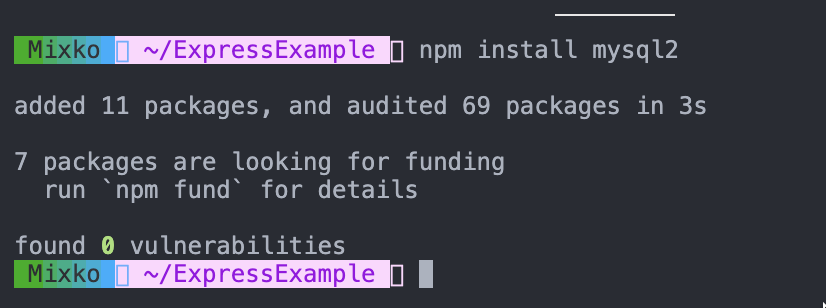
2. Create 3 directory which are routers, Controllers, services then create 2 directory transactions and users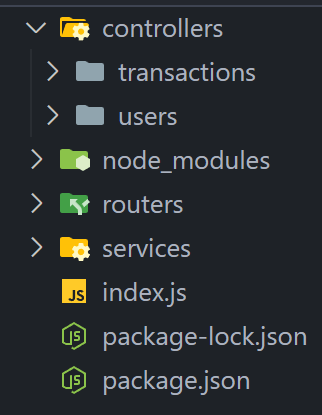
3. Write the following code in the index.js
const express = require("express");
const app = express();
const port = 5000;
app.use(express.json());


app.listen(port, () => {
  console.log(`Example app listening on port ${port}`);
});
4. In directory services create database.js
5. Import the mysql library to your project.
const mysql = require("mysql2");6. Add the following code
database configurationconst connection = mysql.createConnection({
host: "tutorialdb.pspgun.com",
port: "13308",
user: "",
password: "",
database: "csc-105",
});7. Connect to the database
connection.connect()connection.connect((err) => {
if (err) {
console.log(err);
} else {
console.log("Database is connected");
}
});8. Export the connection so that we can use it in other file.
module.exports = connection;The code right now should look like this in
const mysql = require("mysql2");

const connection = mysql.createConnection({
	host: "tutorialdb.pspgun.com",
	port: "13308",
	user: "mentor",
	password: "mentor1212312121",
	database: "csc-105",
});

// Connect to database
connection.connect((err) => {
	if (err) {
		console.log(err);
		throw "Database is not connected";
	} else {
		console.log("Database is connected");
	}
});

module.exports = connection;
9. Restart the application
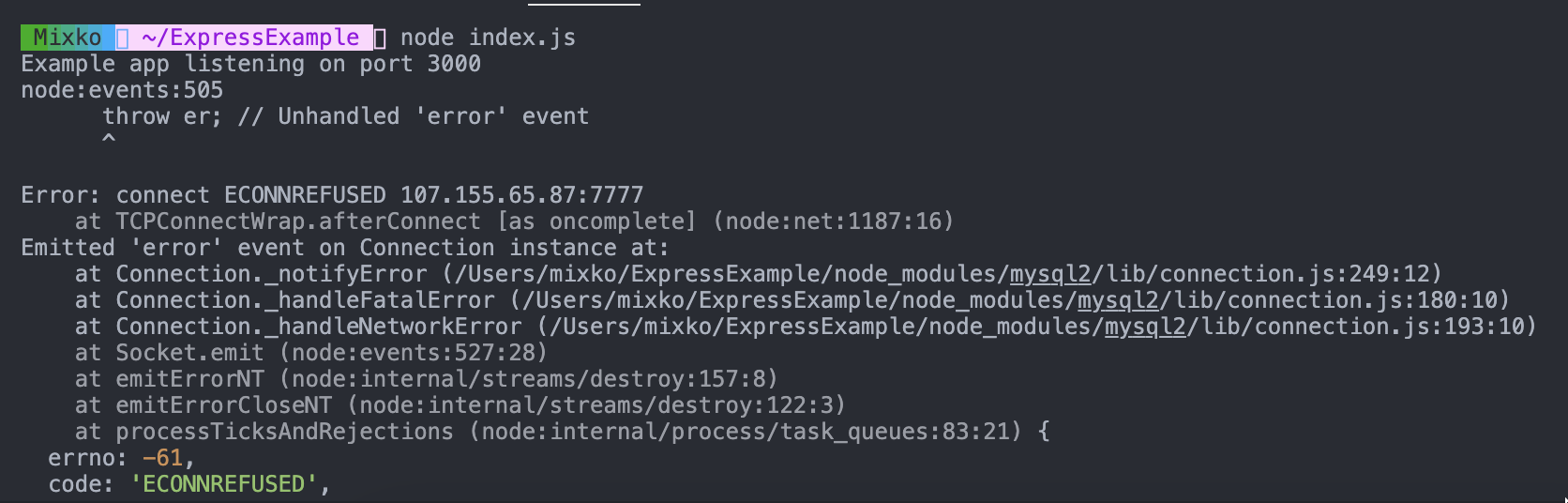
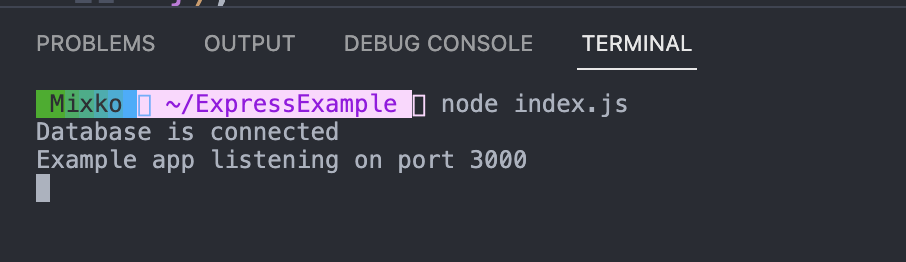
Let's write the endpoint that query user balance data from the database and response to the user.
- This the schema of
sampledatabase 👇🏻
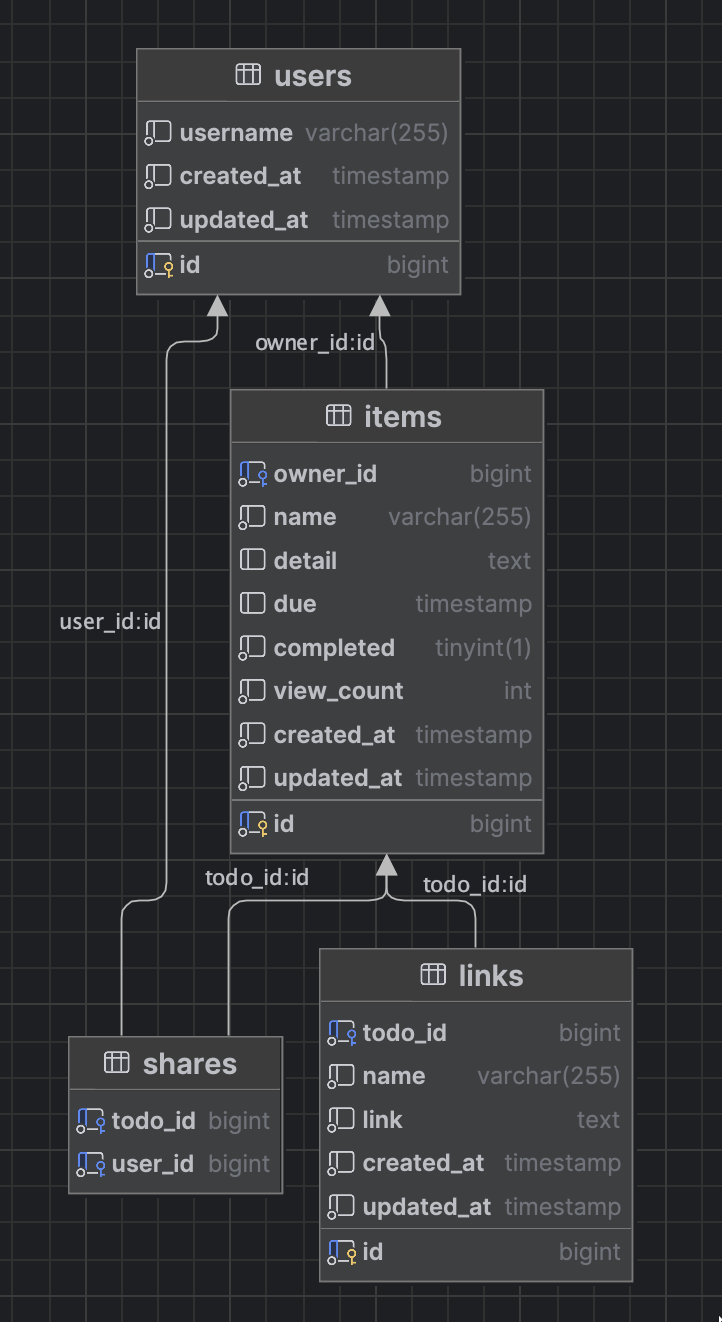
Example of Read
1. Let's create a first endpoint query balance from the database by create getBalance.js in controller->transaction directory
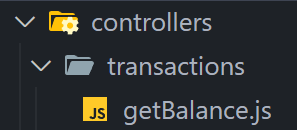
then use the code below.
- In the path
/balance, it will query from balance of theuserstable. - We will use the
.query()method to insert your SQL query. - The second argument to the
.query()method is a callback function(err, rows), which will be called when the MySQL send the response. The callback function takes two arguments,errandrows, which represent theerrorof the database androwsobjects for response data from MySQL database. Ifwe found an error, we will response the error message to the client.else, we will returnrowwhich is data from theuserstable from the database. 👇🏻
const connection = require("../../services/database");

const getBalance = async (req, res) => {
	// Assign the params as a variable
	const userId = req.query.userId;

	// Regex to check the userId is a number only or not
	const checkUserId = new RegExp(/^\d+$/).test(userId); // Boolean

	// Check if the userId is not exist or is not a number, return json with an error
	if (!userId || !checkUserId) {
		return res.json({
			success: false,
			data: null,
			error: "user_id is invalid",
		});
	}
	// Query the data from the database
	try {
		// Get user balance data
		const userBalanceQuery = await connection
			.promise()
			.query(`SELECT balance FROM users WHERE id = ${userId}`);
		const userBalance = userBalanceQuery[0][0];
		// Check if user data is empty
		if (!userBalance) {
			return res.status(404).json({
				success: false,
				data: null,
				error: "User not found",
			});
		}
		// Return data to the client if success
		return res.json({
			success: true,
			data: userBalance,
			error: null,
		});
	} catch (error) {
		console.error("Error:", error);
		return res.status(500).json({
			success: false,
			data: null,
			error: "Internal server error",
		});
	}
};

module.exports = getBalance;
2. Create transaction.js under routers and create router for transaction
const express = require("express");
const getBalance = require("../controllers/transactions/getBalance");
const transactionsRouter = express.Router();

transactionsRouter.get("/balance", getBalance);

module.exports = transactionsRouter;
3. Import transactionsRouter into index.js and make a path
const express = require("express");
const app = express();
// Add
const transactionsRouter = require("./routers/transactions");
const port = 5000;
app.use(express.json());
// Add
app.use("/transactions", transactionsRouter);
app.listen(port, () => {
	console.log(`Example app listening on port ${port}`);
});
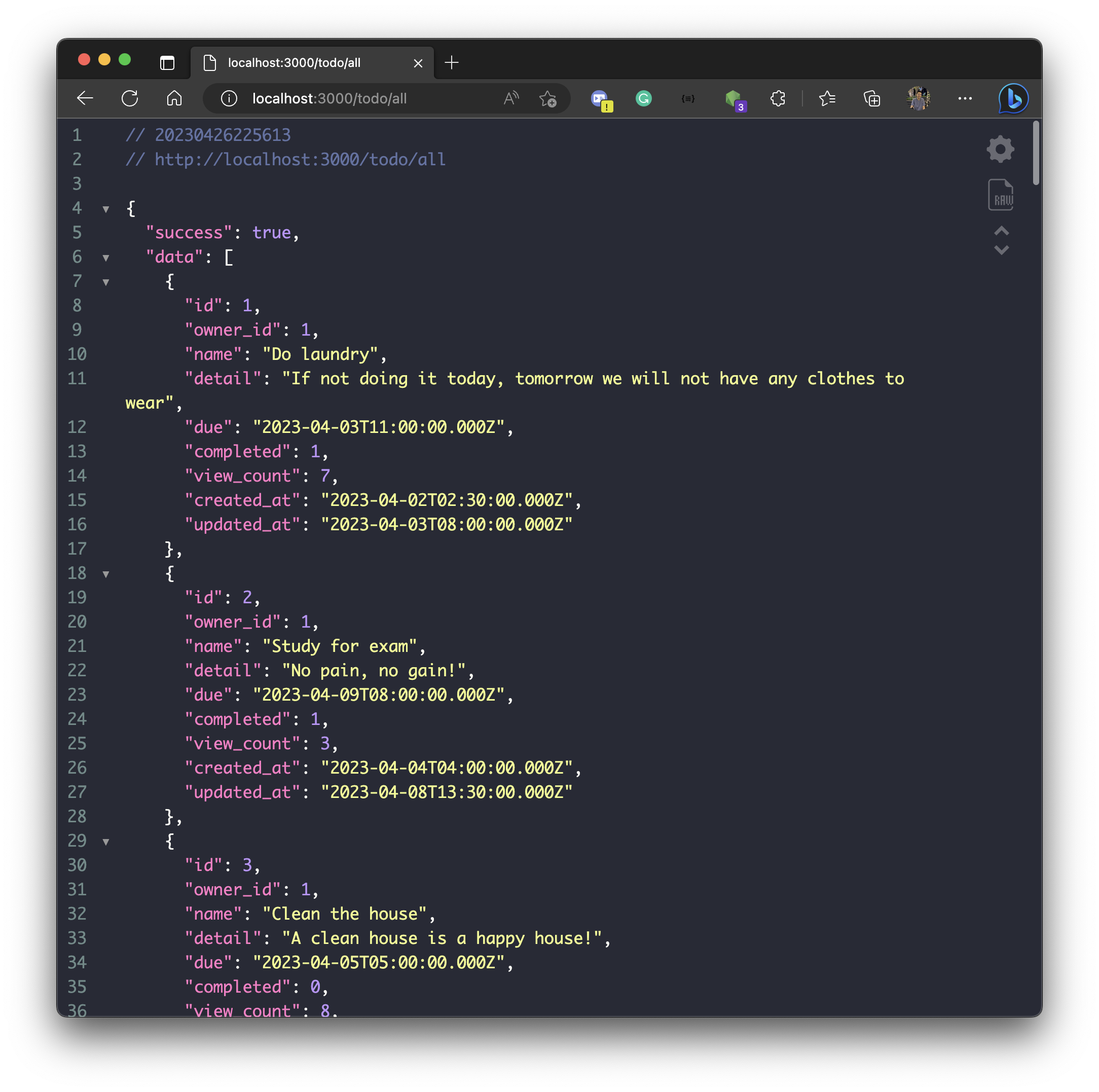
4. Let's run your application again, and use postman with localhost:5000/transactions/balance?userId=1
- You will see the result like this.
Another example of Read
1. Create getAll.js under directory controller->users
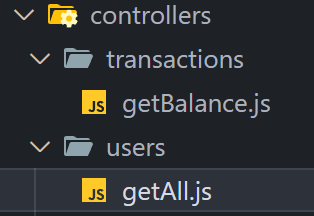
2. Create an endpoint query all users from the database using the code below in getAll.js
const connection = require("../../services/database");

const getAll = async (req, res) => {
	// Query the data from the database
	try {
		// Get user data
		const userDataQuery = await connection
			.promise()
			.query(`SELECT * FROM users`);
		const userData = userDataQuery[0];

		// Check if user data is empty
		if (!userData) {
			return res.status(404).json({
				success: false,
				data: null,
				error: "There is no user data in the database",
			});
		}
		// Return data to the client if success
		return res.json({
			success: true,
			data: userData,
			error: null,
		});
	} catch (error) {
		console.error("Error:", error);
		return res.status(500).json({
			success: false,
			data: null,
			error: "Internal server error",
		});
	}
};
module.exports = getAll;
3. Create users.js under directory routers and write
const express = require("express");
const getAll = require("../controllers/users/getAll");
const usersRouter = express.Router();

usersRouter.get("/all", getAll);

module.exports = usersRouter;
4. Import usersRouter into index.js and make a path
const express = require("express");
const app = express();
const usersRouter = require("./routers/users");
const transactionsRouter = require("./routers/transactions");
const port = 5000;
app.use(express.json());

app.use("/users", usersRouter);
app.use("/transactions", transactionsRouter);

app.listen(port, () => {
	console.log(`Example app listening on port ${port}`);
});
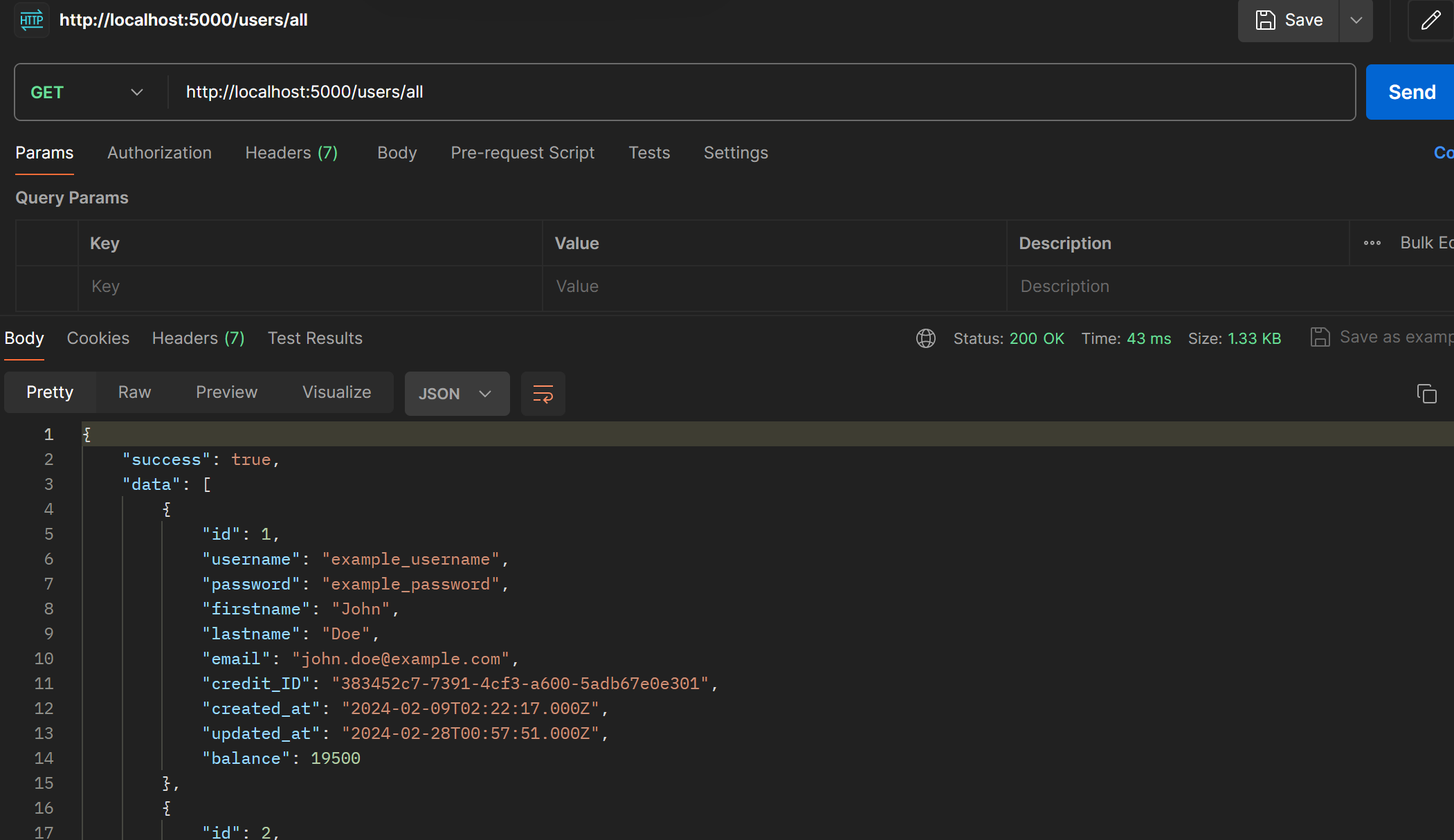
5. Let's run your application again, and use postman with localhost:5000/users/all
Example of Create
- Let's create a first endpoint query balance from the database by create
getBalance.jsincontroller->transaction directory
- Create a request.
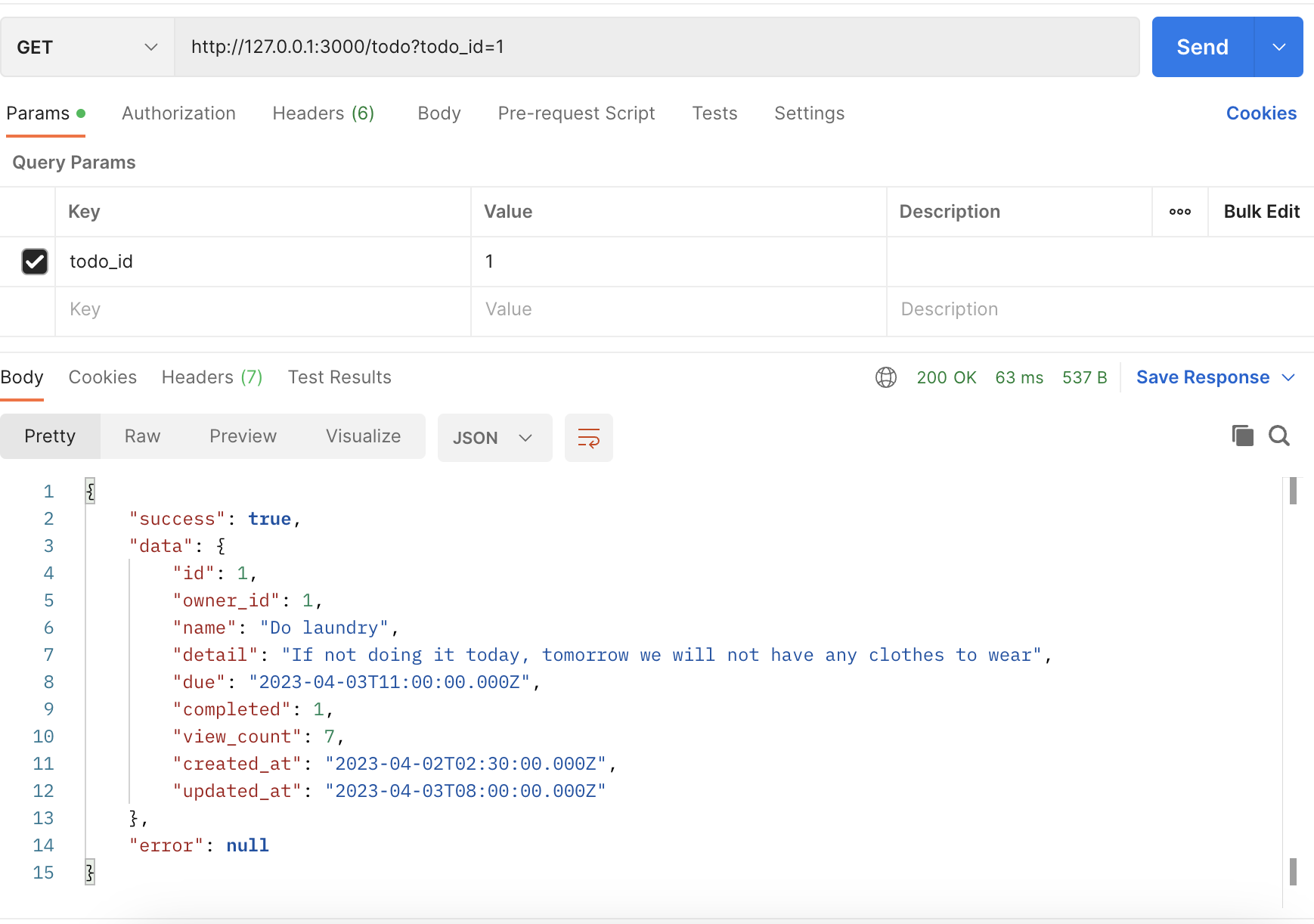
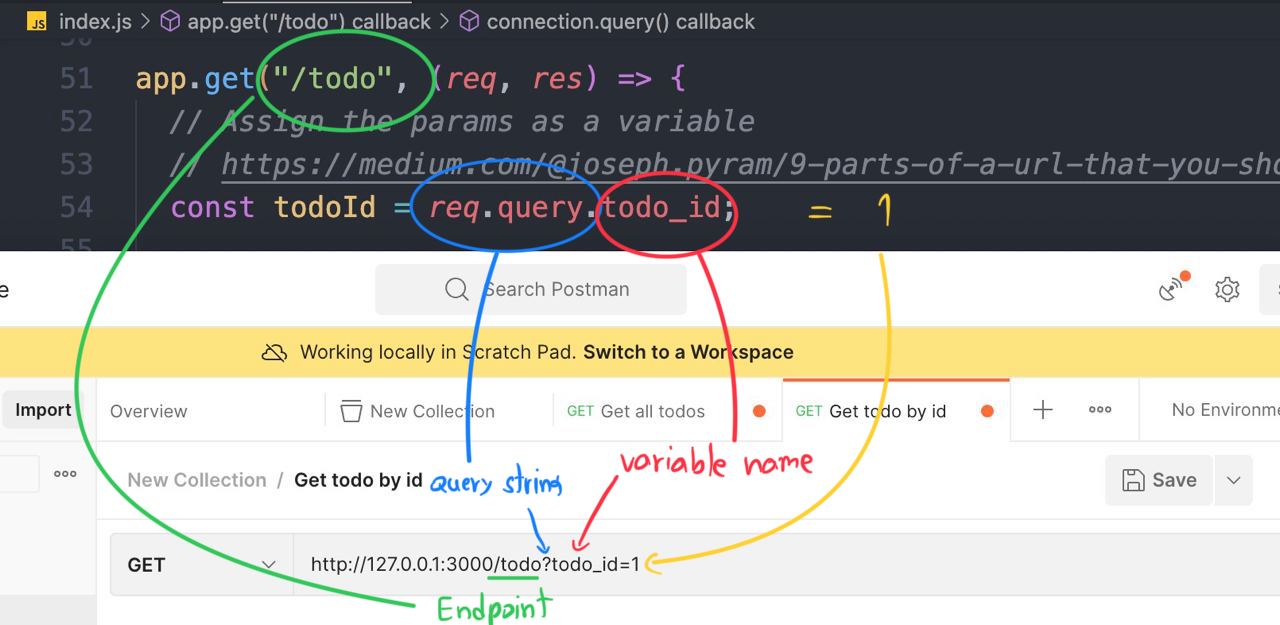
http://127.0.0.1:3000/todo?todo_id=1

- Click
Send - The response from your backend application 👇🏻
Example of the POST method
- Create an endpoint that create a
user
-
Before writing a request, we need to install the library
body-parserfirst. -
npm i body-parser -
Because Express JS cannot read the JSON body request directly, So we need to install
body-parserfirst.
const bodyParser = require("body-parser"); // import the body-parser
// parse various different custom JSON types as JSON
app.use(bodyParser.json({ type: "application/json" }));
Code ...
const express = require("express");
const app = express();
const mysql = require("mysql2");
const bodyParser = require("body-parser"); 👈🏻
const port = 3000;

const connection = mysql.createConnection({
  host: "server2.mixkoap.com",
  port: "6103",
  user: "root",
  password: "root_apisitmaneerat",
  database: "csc105-workshop",
});

// Connect to database
connection.connect();

console.log("Database is connected");

// parse various different custom JSON types as JSON
app.use(bodyParser.json({ type: "application/json" })); 👈🏻

app.get("/", (req, res) => {
  res.send("Hello World!");
});
.
.
.
.
.
.
- Create an endpoint
app.post("/todo/create", (req, res) => {
  // The JSON body
  const payload = req.body;

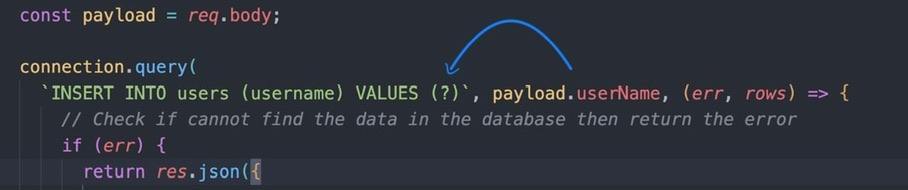
  connection.query(
    `INSERT INTO users (username) VALUES (?)`, [payload.userName], (err, rows) => {
      // Check if cannot find the data in the database then return the error
      if (err) {
        res.json({
          success: false,
          data: null,
          error: err.message,
        });
      } else {
        // Return data to the client if success
        console.log(rows);
        if (rows) {
          res.json({
            success: true,
            data: {
              message: "create success",
            },
          });
        }
      }
    }
  );
});
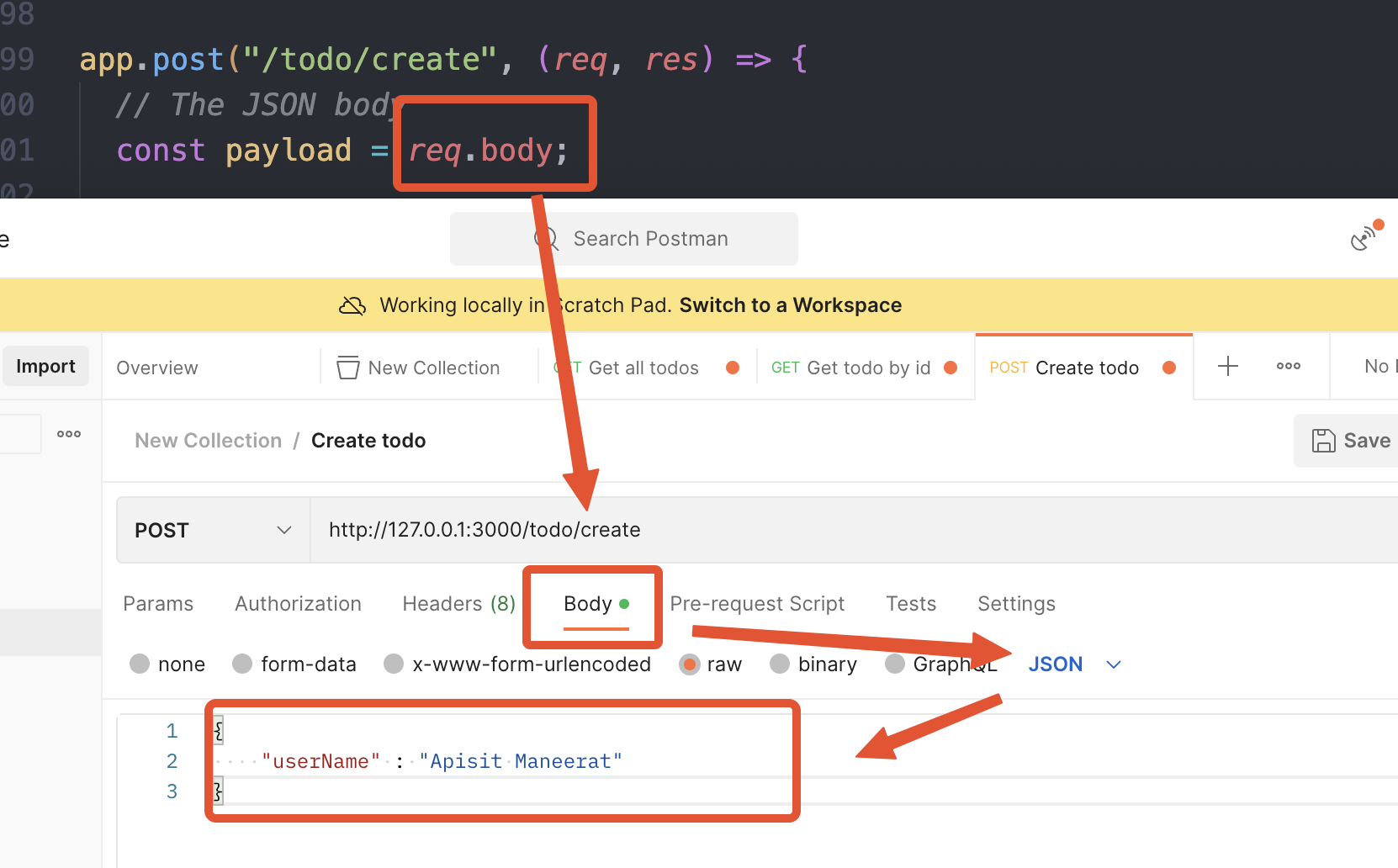
- The request body mostly send in
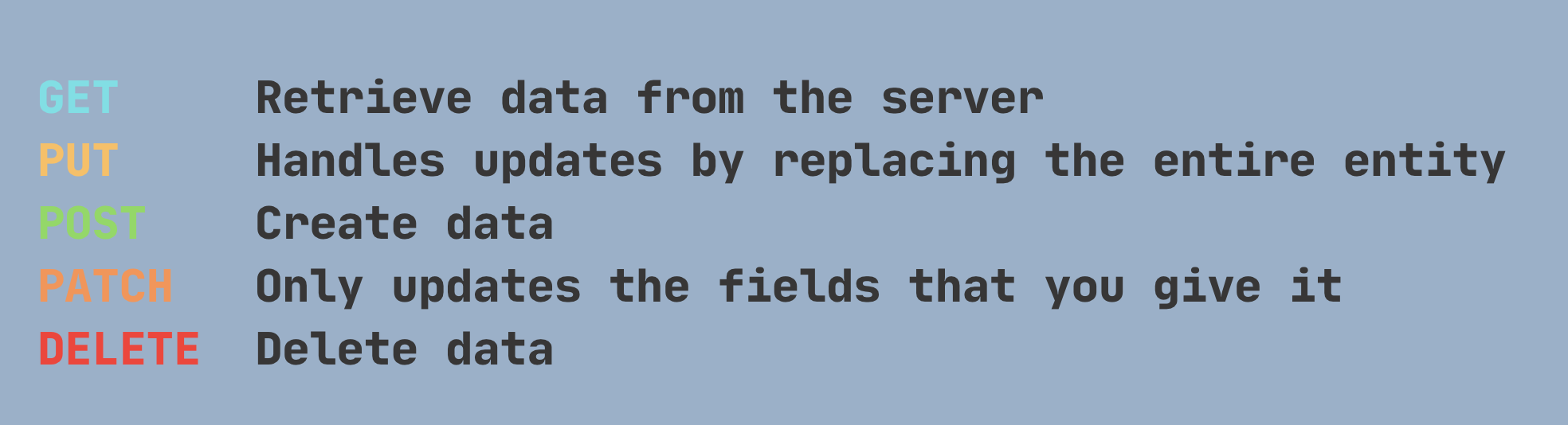
JSONformat 👆🏻 - Create a request in Postman and change the HTTP method to
POST
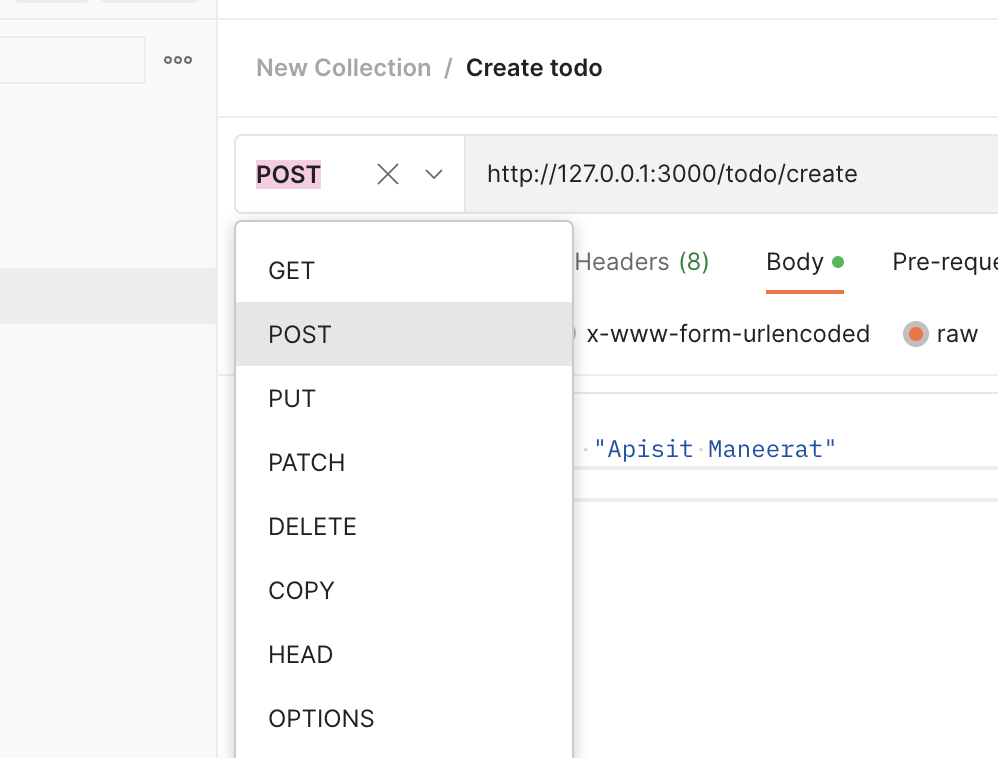
****Remark - HTTP Methods 👇🏻
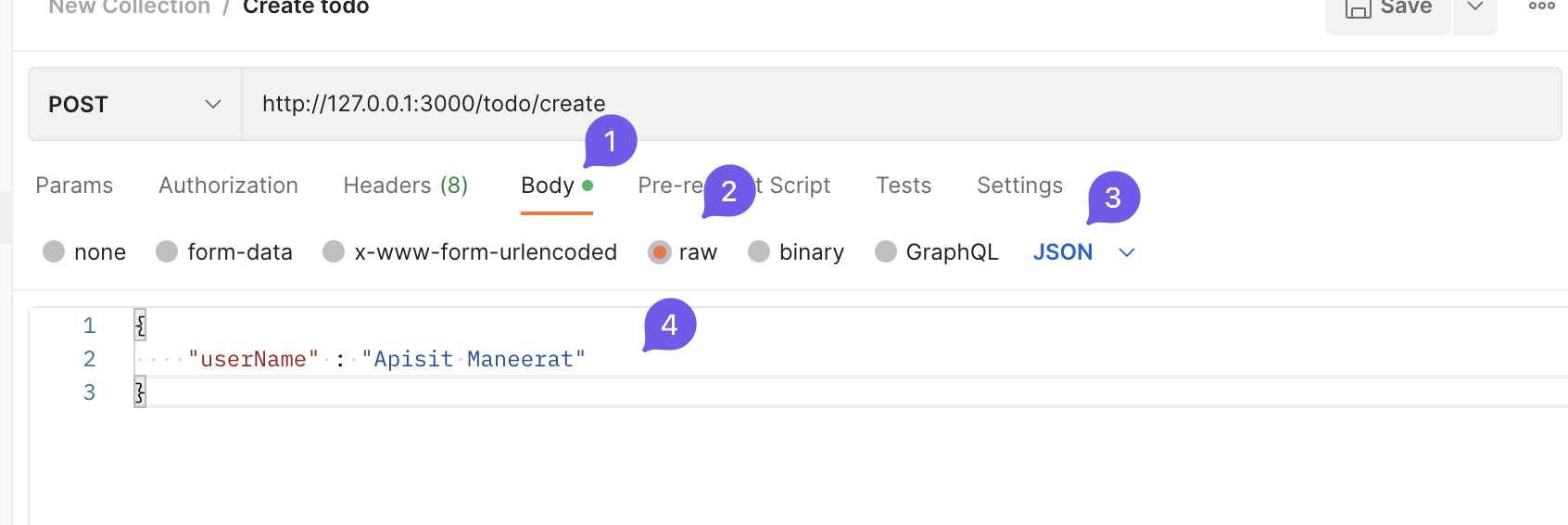
- Add the
JSONbody 👇🏻
http://127.0.0.1:3000/todo/create
{
    "userName" : "Apisit Maneerat"
}
- Click
Send
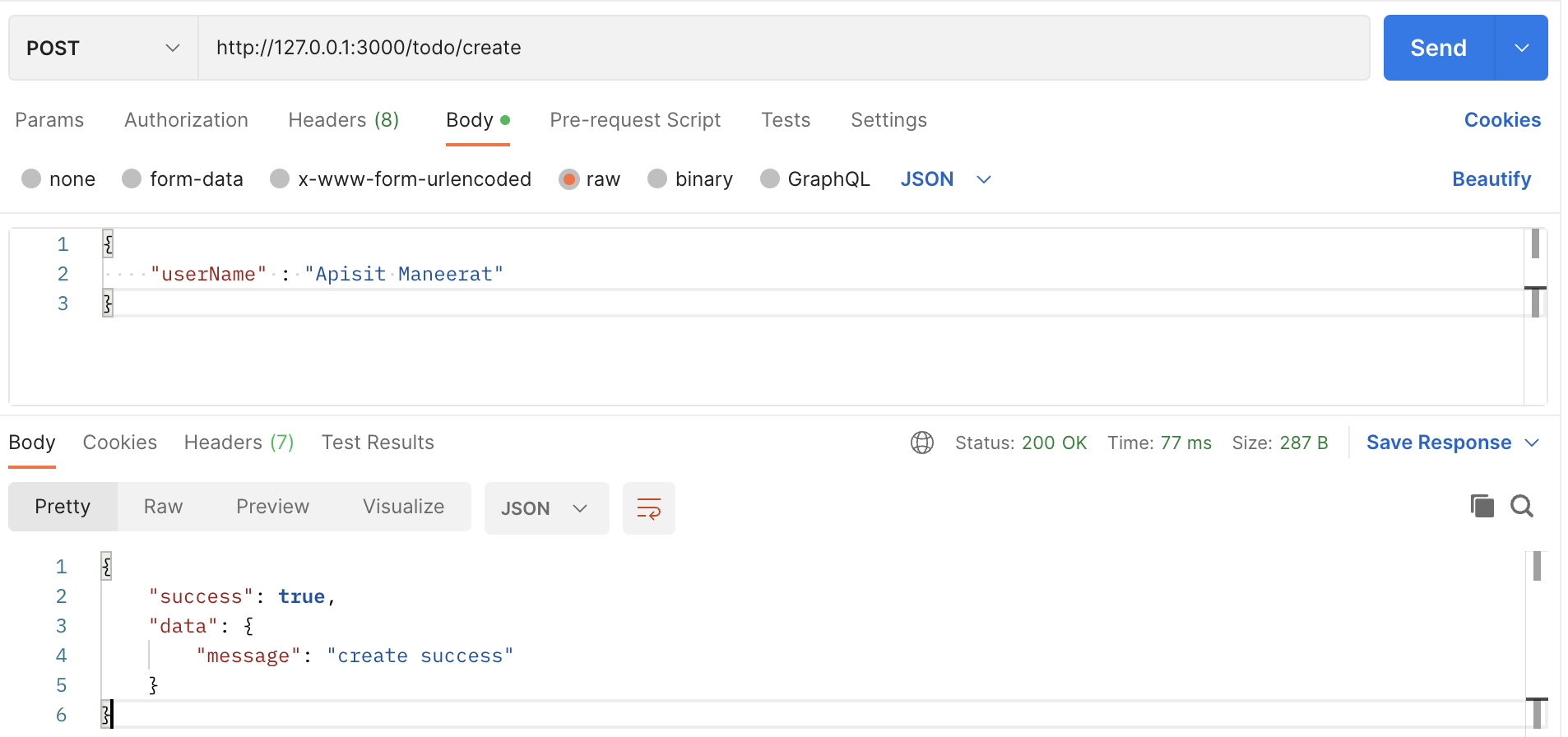
-
The response from your backend application. 👆🏻
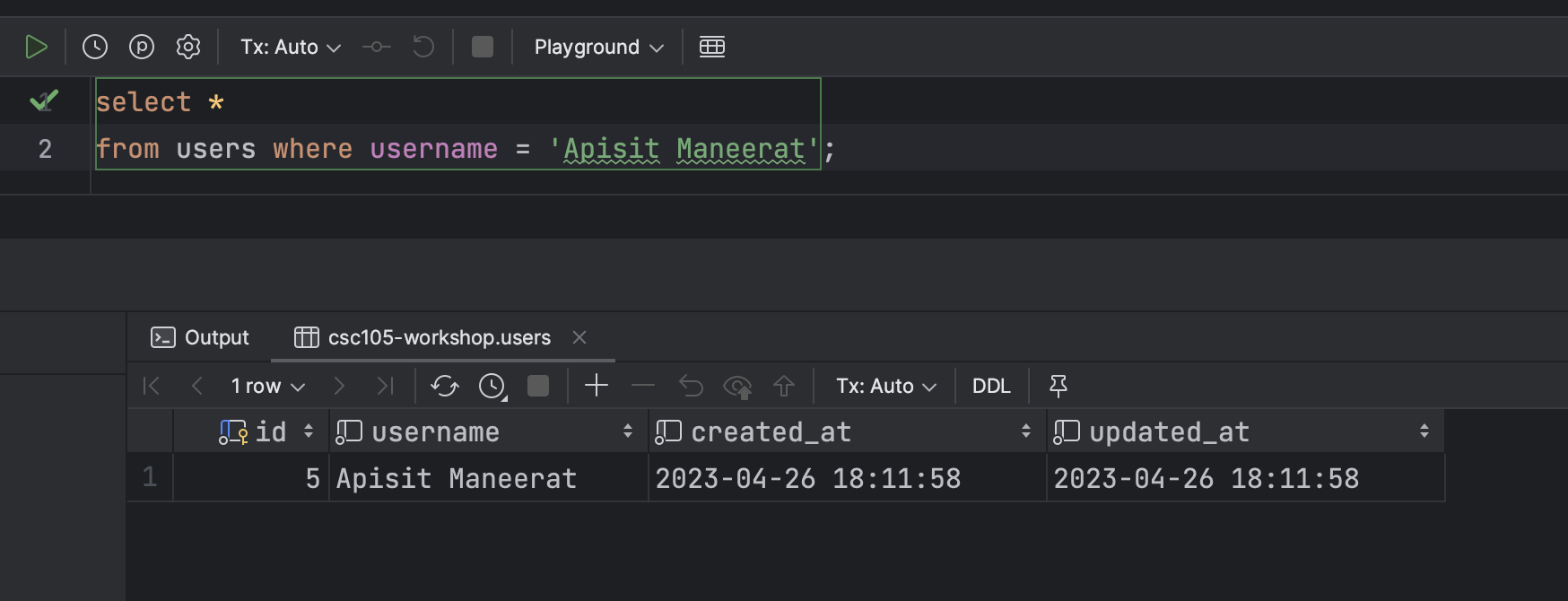
-
In the Database 👇🏻
- For more detail
Example of the PATCH method
- Create an endpoint that edit the data in the Database
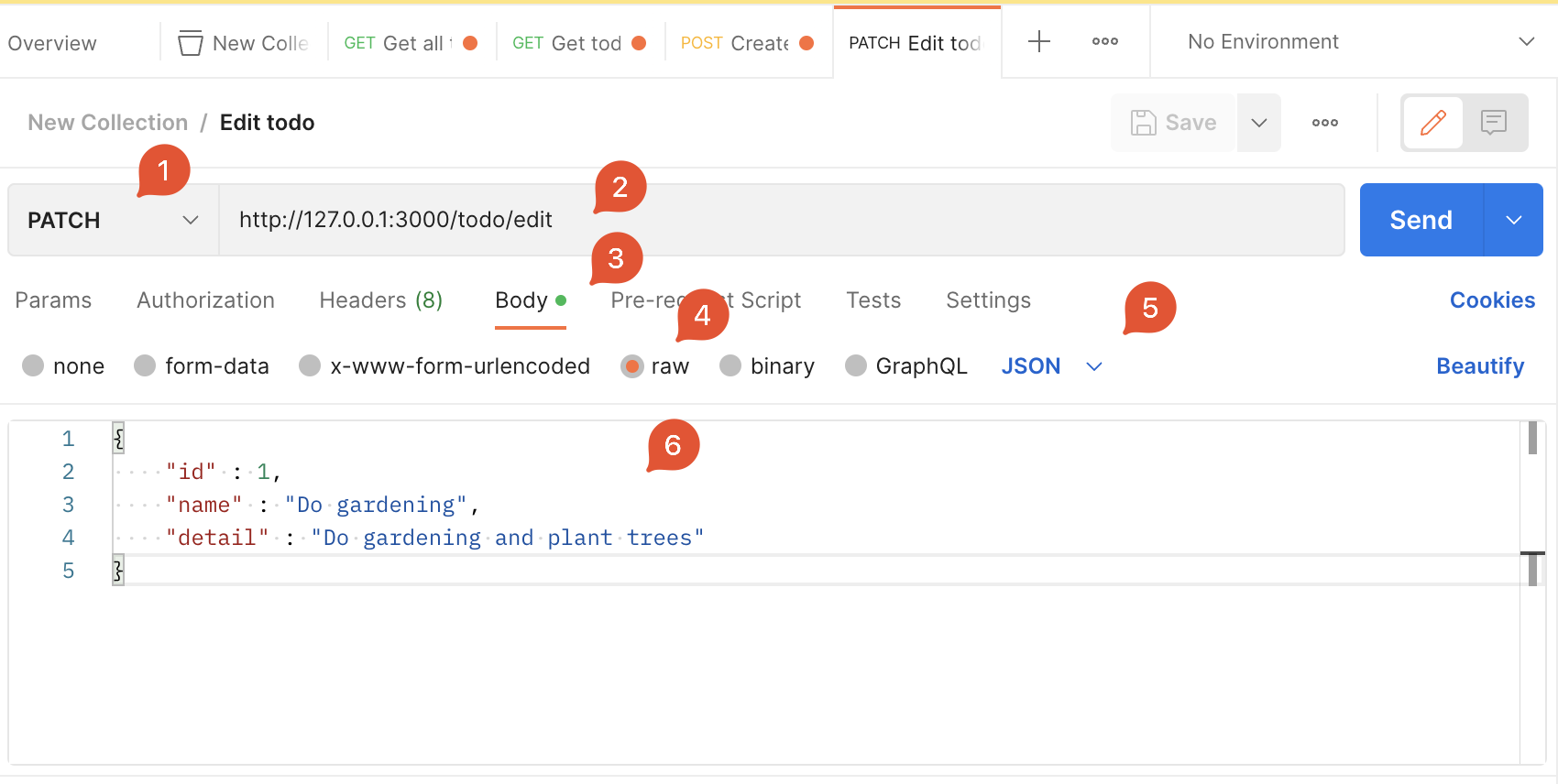
- For example we are going to change the
nameanddetailfromid = 1

- Create the endpoint
- For this endpoint we use
.patch()because we are going to edit some fields that you specific in the Database.
app.patch("/todo/edit", (req, res) => {
  // The JSON body
  const payload = req.body;

  console.log(payload);

  connection.query(
    "UPDATE items SET name = ?, detail = ? WHERE id = ?", [payload.name, payload.detail, payload.id],
    (err, rows) => {
      // Check if cannot find the data in the database then return the error
      if (err) {
        res.json({
          success: false,
          data: null,
          error: err.message,
        });
      } else {
        // Return data to the client if success
        if (rows) {
          res.json({
            success: true,
            data: {
              message: "update successfully",
            },
          });
        }
      }
    }
  );
});
- Create a request in Postman
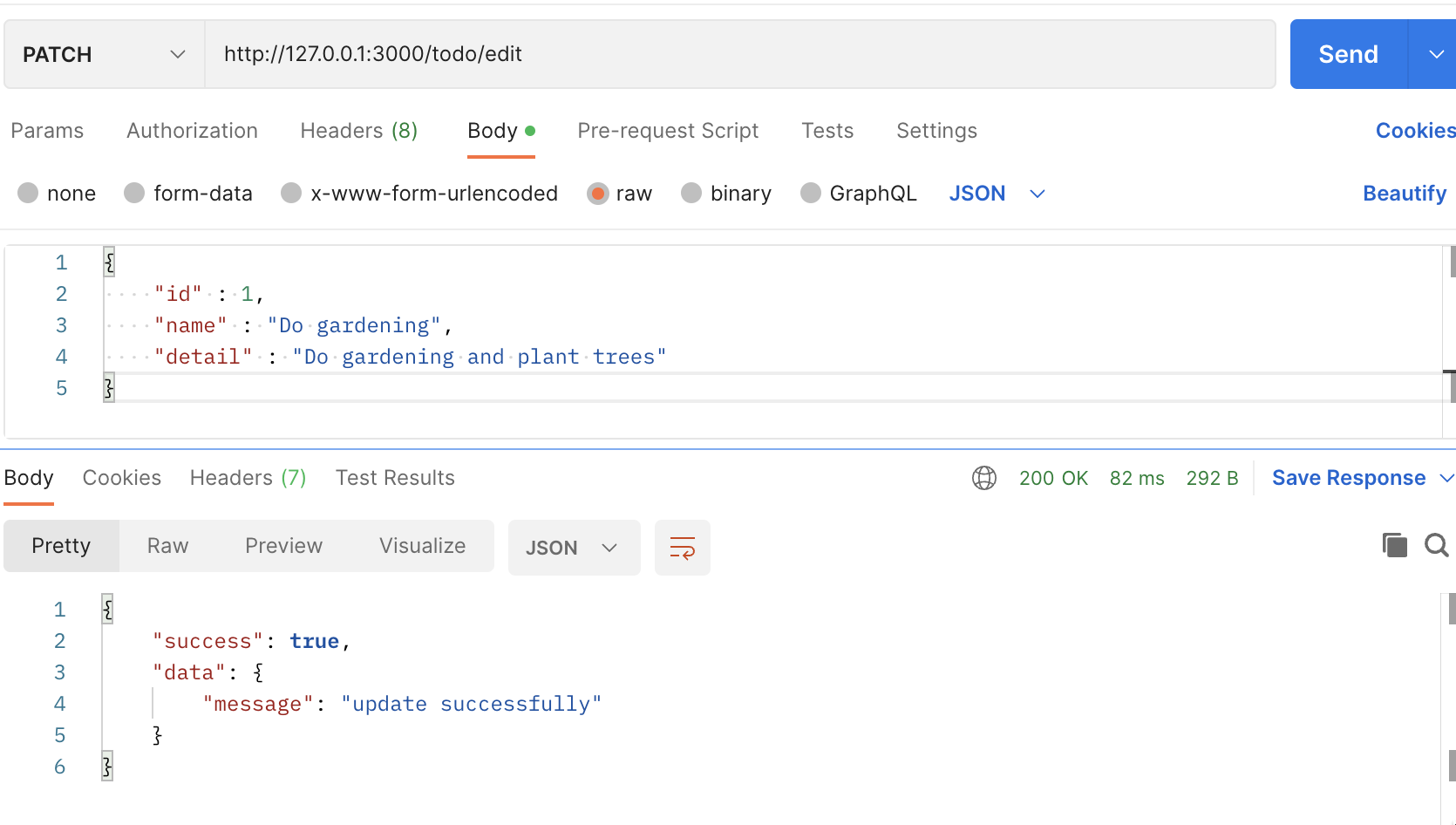
- Click
Send
Example of the DELETE method
- Create an endpoint that delete the data from the
linkstable in the database.
- For this endpoint, we will use
.delete()because we are going to delete data from the database. - We use
query stringto get the data from the client - Create an endpoint 👇🏻
app.delete("/todo/delete", (req, res) => {
  // Assign the params as a variable
  const id = req.query.id;
  const todoId = req.query.todo_id;

  connection.query(
    `DELETE FROM links where id = ? AND todo_id = ?`, [id, todoId],
    (err, rows) => {
      // Check if cannot find the data in the database then return the error
      if (err) {
        res.json({
          success: false,
          data: null,
          error: err.message,
        });
      } else {
        if (rows) {
          res.json({
            success: true,
            data: {
              message: "delete successfully",
            },
          });
        }
      }
    }
  );
});
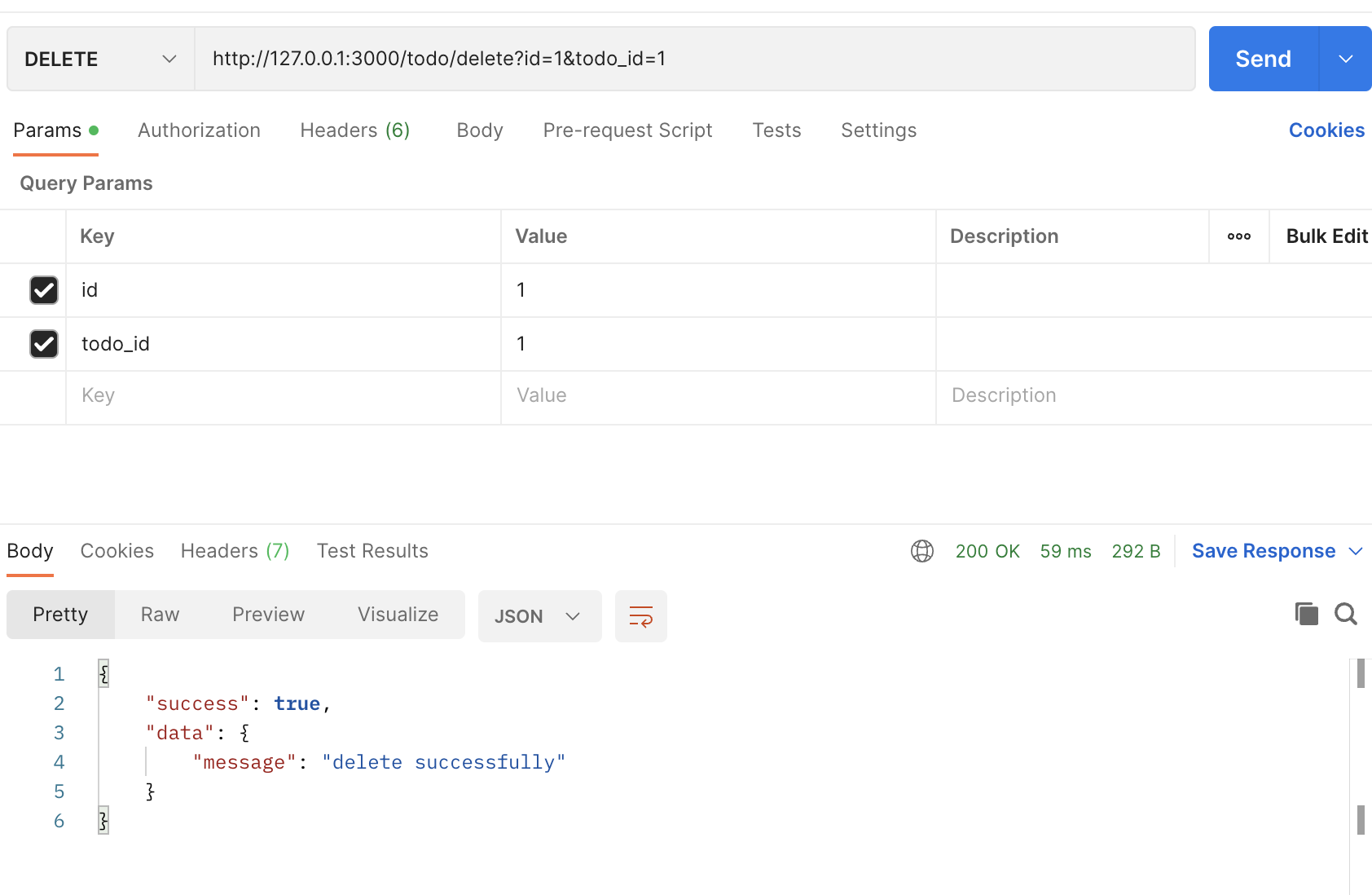
- Create a request in Postman

- Click
Send
--- End of the example ----
** This is the finalized code for this example 👇🏻
const express = require("express");
const app = express();
const mysql = require("mysql2");
const bodyParser = require("body-parser");
const port = 3000;

const connection = mysql.createConnection({
  host: "server2.mixkoap.com",
  port: "6103",
  user: "root",
  password: "root_apisitmaneerat",
  database: "csc105-workshop",
});

// Connect to database
connection.connect();

console.log("Database is connected");

// parse various different custom JSON types as JSON
app.use(bodyParser.json({ type: "application/json" }));

app.get("/", (req, res) => {
  res.send("Hello World!");
});

app.get("/hello", (req, res) => {
  res.json({
    name: "Apisit Maneerat",
    nickName: "Mixko",
    university: "KMUTT",
  });
});

app.get("/todo/all", (req, res) => {
  connection.query("SELECT * FROM items", (err, rows) => {
    // Check if cannot find the data in the database then return the error
    if (err) {
      res.json({
        success: false,
        data: null,
        error: err.message,
      });
    } else {
      // Return data to the client if success
      res.json({
        success: true,
        data: rows,
        error: null,
      });
    }
  });
});

app.get("/todo", (req, res) => {
  // Assign the params as a variable
  // https://medium.com/@joseph.pyram/9-parts-of-a-url-that-you-should-know-89fea8e11713
  const todoId = req.query.todo_id;

  // Regex to check the todo_is is a number only or not
  const checkTodoId = new RegExp(/^\d+$/).test(todoId); // Boolean

  // Check if the todo_id is not exist or is not a number, return json with an error
  if (!todoId || !checkTodoId) {
    res.json({
      success: false,
      data: null,
      error: "todo_id is invalid",
    });
  }

  connection.query(`SELECT * FROM items WHERE id = ${todoId}`, (err, rows) => {
    // Check if cannot find the data in the database then return the error
    if (err) {
      res.json({
        success: false,
        data: null,
        error: `Data not found ${err.message}`,
      });
    } else {
      // Return data to the client if success
      if (rows[0]) {
        res.json({
          success: true,
          data: rows[0],
          error: null,
        });
      } else {
        res.json({
          success: true,
          data: null,
          error: null,
        });
      }
    }
  });
});

app.post("/todo/create", (req, res) => {
  // The JSON body
  const payload = req.body;

  connection.query(
    `INSERT INTO users (username) VALUES (?)`,
    [payload.userName],
    (err, rows) => {
      // Check if cannot find the data in the database then return the error
      if (err) {
        res.json({
          success: false,
          data: null,
          error: err.message,
        });
      } else {
        // Return data to the client if success
        if (rows) {
          res.json({
            success: true,
            data: {
              message: "create successfully",
            },
          });
        }
      }
    }
  );
});

app.patch("/todo/edit", (req, res) => {
  // The JSON body
  const payload = req.body;

  console.log(payload);

  connection.query(
    "UPDATE items SET name = ?, detail = ? WHERE id = ?",
    [payload.name, payload.detail, payload.id],
    (err, rows) => {
      // Check if cannot find the data in the database then return the error
      if (err) {
        res.json({
          success: false,
          data: null,
          error: err.message,
        });
      } else {
        // Return data to the client if success
        if (rows) {
          res.json({
            success: true,
            data: {
              message: "update successfully",
            },
          });
        }
      }
    }
  );
});

app.delete("/todo/delete", (req, res) => {
  // Assign the params as a variable
  const id = req.query.id;
  const todoId = req.query.todo_id;

  connection.query(
    `DELETE FROM links where id = ? AND todo_id = ?`,
    [id, todoId],
    (err, rows) => {
      // Check if cannot find the data in the database then return the error
      if (err) {
        return res.json({
          success: false,
          data: null,
          error: err.message,
        });
      } else {
        if (rows) {
          res.json({
            success: true,
            data: {
              message: "delete successfully",
            },
          });
        }
      }
    }
  );
});

app.listen(port, () => {
  console.log(`Example app listening on port ${port}`);
});
More examples for those who want to create more than one query in one endpoint
app.get("/todo/from", async (req, res) => {
  const userId = req.query.userId;

  // User data
  const userData = await new Promise((resolve, reject) => {
    connection.query(
      `SELECT * FROM users WHERE id = ?`,
      [userId],
      (err, rows) => {
        if (err) {
          res.json({
            suceess: false,
            error: err.message,
          });
        } else {
          resolve(rows[0]);
        }
      }
    );
  });

  // User's todos
  const userTodos = await new Promise((resolve, reject) => {
    connection.query(
      `SELECT * FROM items WHERE owner_id = ?`,
      [userId],
      (err, rows) => {
        if (err) {
          res.json({
            suceess: false,
            error: err.message,
          });
        } else {
          resolve(rows);
        }
      }
    );
  });

  res.json({
    success: true,
    data: {
      user_data: userData,
      todos: userTodos,
    },
    error: null,
  });
});